





Your own foods
Add anything Open Food Facts does not have, with servings, labels, nutritional impact, and a full ingredient list.
Built around privacy, ownership and everyday use.

Personal nutrition, on your terms.
Log a meal in seconds and see what it does beyond calories. It all stays on your phone - no account, no cloud, no subscription - and your household can share it, phone to phone.


Try it free for seven days, then pay once. No card needed to start.
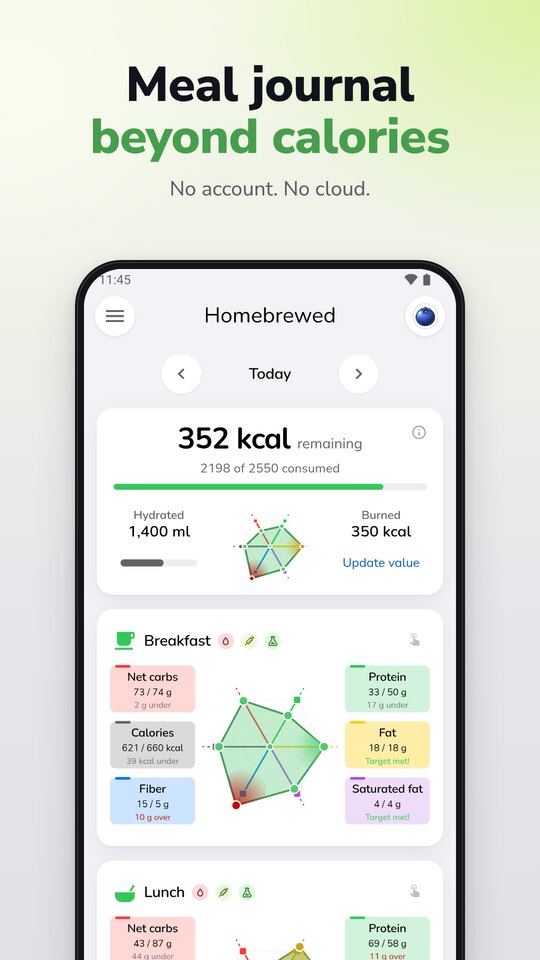
One radar puts everything you ate today against your targets, and a plain sentence says what is over and what is under. It is a cue, not a score.
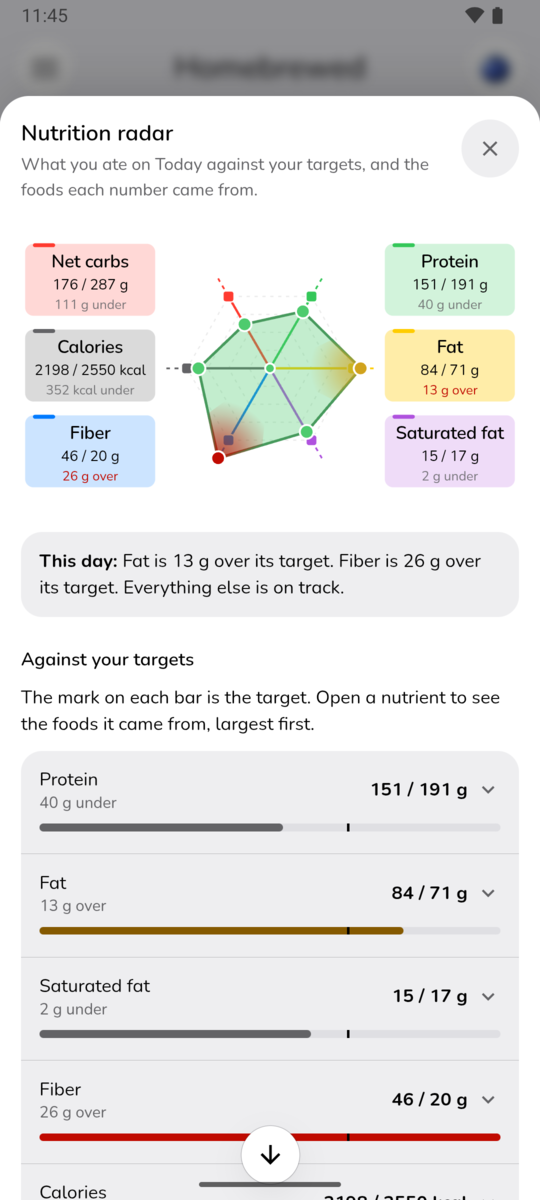
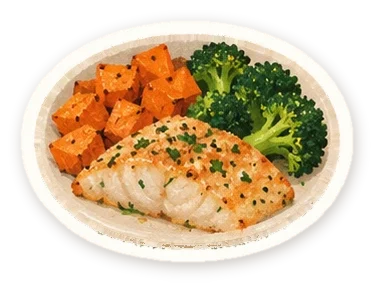
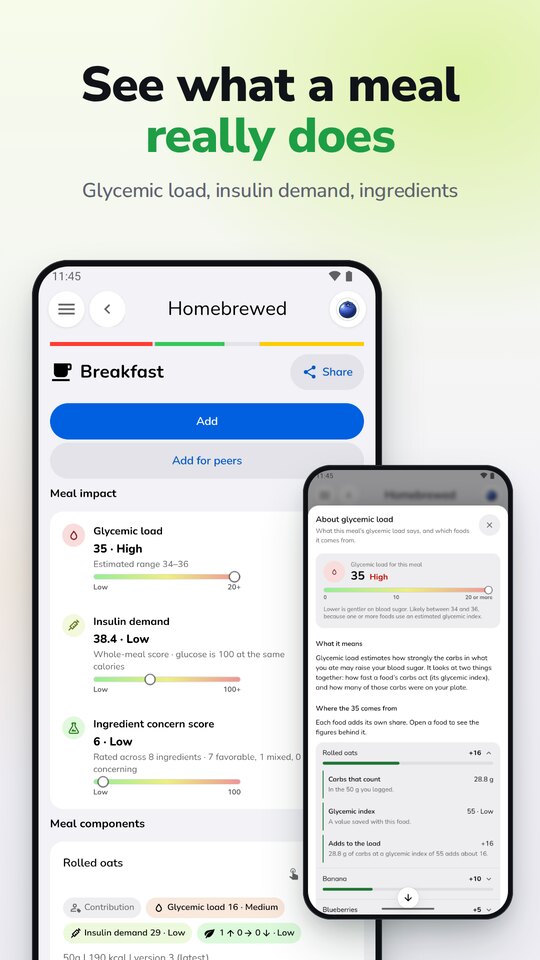
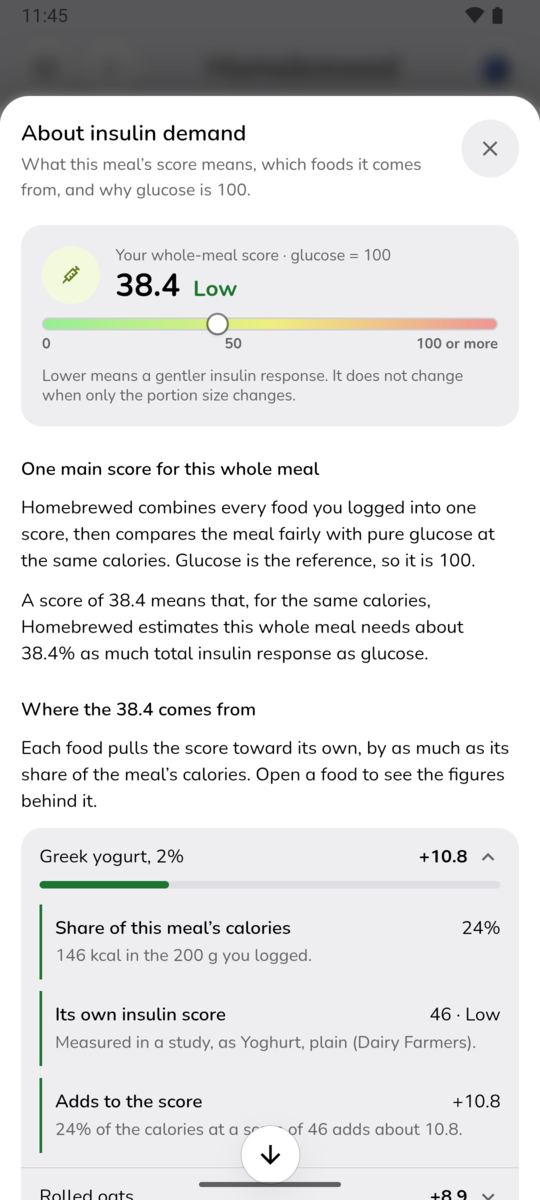
Two meals with the same calories can treat you very differently. Homebrewed shows what sits behind the number, and every figure comes with an explanation and its sources, so you never have to trust a black box.
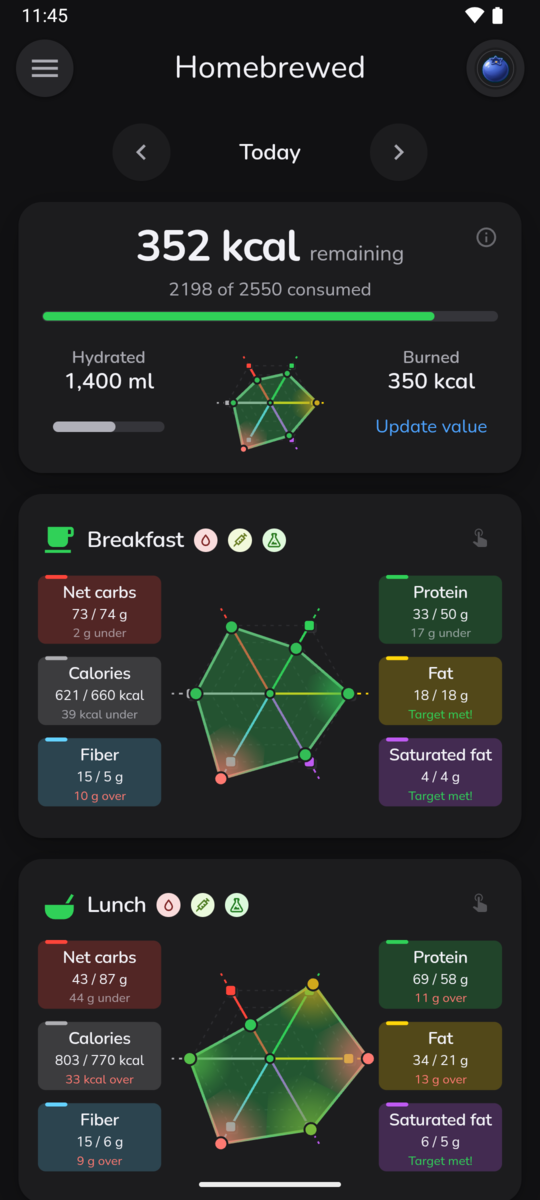
Log the energy you burn and Homebrewed rebalances the meals still ahead, so an active afternoon leaves more room for dinner. A hike, a ride, a swim, some yoga - add the figure and the rest of the day adjusts, no arithmetic needed.
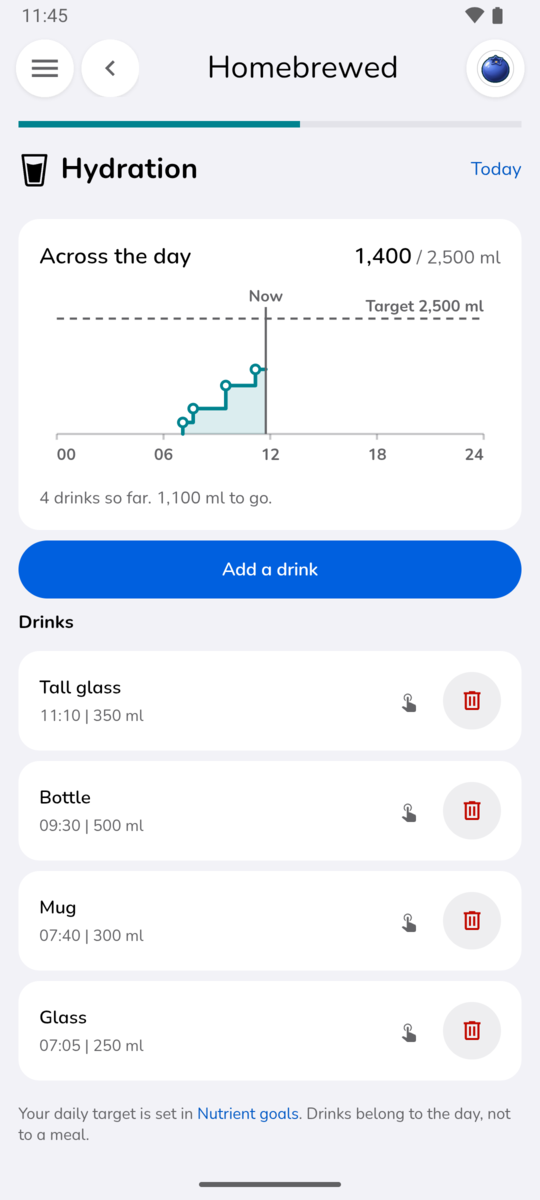
Log water, coffee, and everything else you drink, and watch the day fill up against a target that fits you.
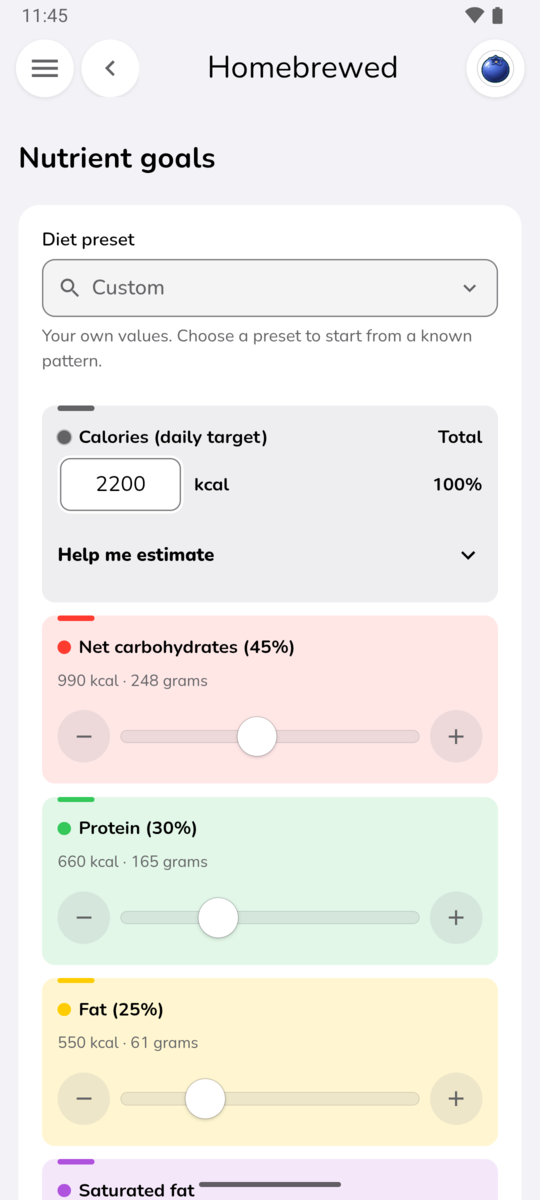
Set your daily calorie target, how it splits between protein, carbohydrates, and fat, and how it spreads across your meals. Change any of it whenever your routine, appetite, or plans do - nothing is locked in by a plan you started in January.
Your foods, recipes, and ingredients live in a library you own, ready for whatever goes in the pan next. 🍳
Add anything Open Food Facts does not have, with servings, labels, nutritional impact, and a full ingredient list.
Build a recipe from foods you have saved and its nutrition per 100 grams works itself out, with photos and steps alongside.
Give each ingredient aliases and sensitivity tags, and see its processing, metabolic, microbiome, and regulatory notes.
Copying a nutrition label by hand is tedious. Homebrewed writes the prompt, your AI assistant reads the label, and the fields fill themselves in.
Copy the prompt Homebrewed prepares
Paste it into your assistant, with a photo of the label
Paste the answer back and watch the fields fill in
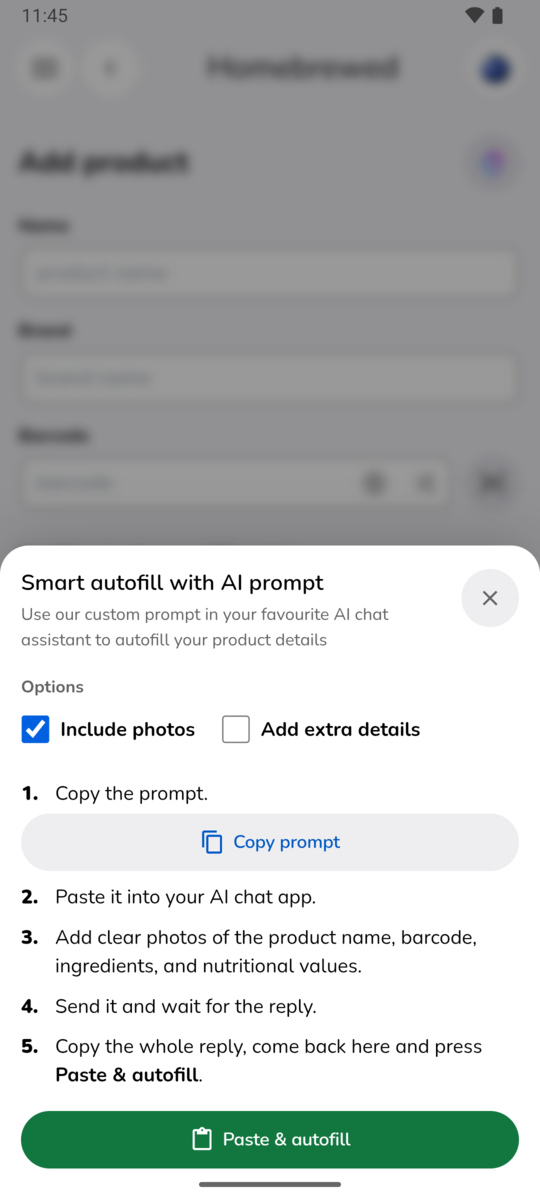
Homebrewed never talks to an AI service itself. There is no API key to buy and no subscription to add - nothing leaves your phone unless you carry it there yourself.
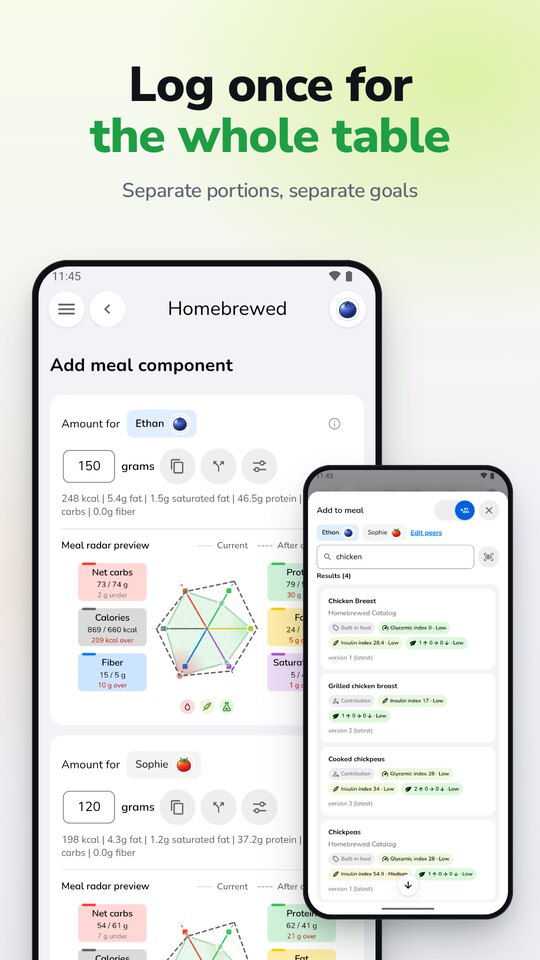
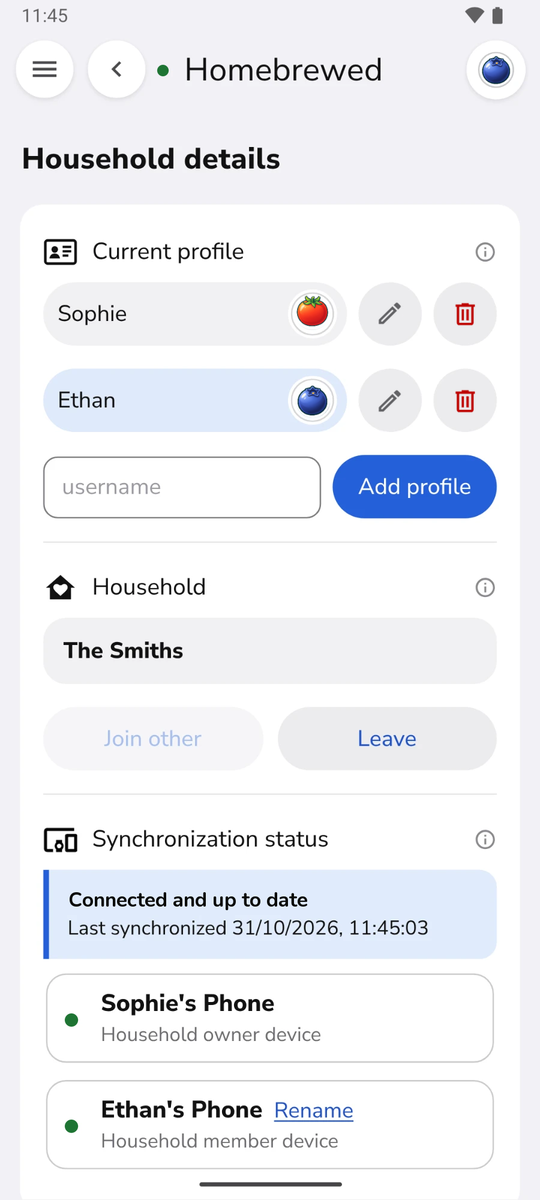
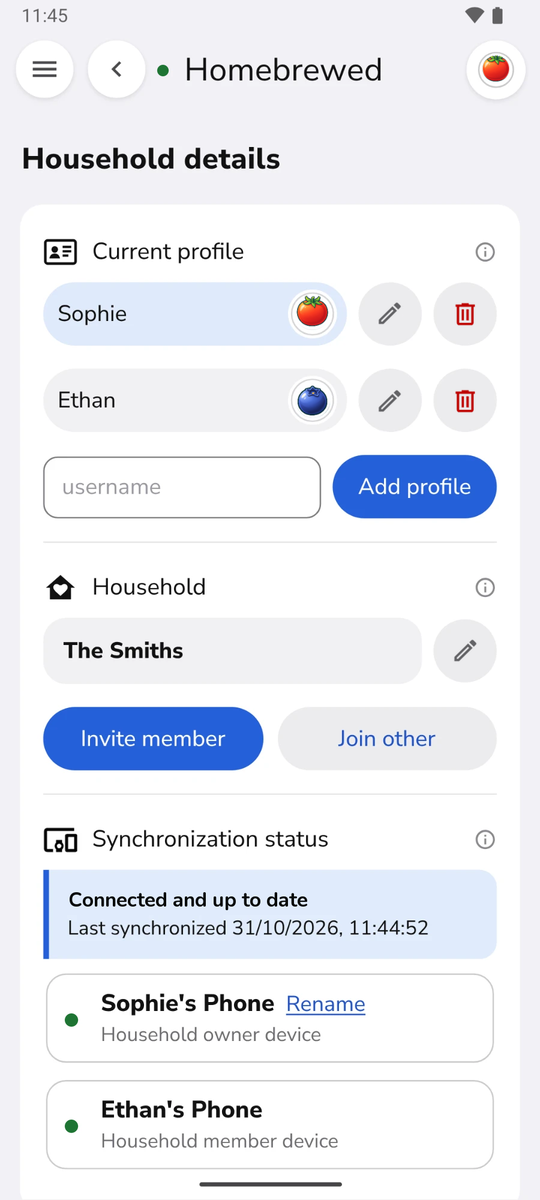
Invite the people you live with and Homebrewed keeps your phones in step directly, with no account and no company in between. Everyone keeps their own journal; the meals you share, you log once.
Most food trackers want an account, keep your diet on their servers, and charge you every month for it. Homebrewed does none of that.
Barcode scanning and product search are powered by Open Food Facts, a collaborative database built by volunteers and published under an open licence. Millions of products, owned by nobody, improved by everybody.
Most meal trackers ask you to create an account, keep your diet on their servers, and charge you every month. Homebrewed keeps everything on your phone, asks for no account, and is paid for once.
It also tells you more about each meal. Alongside calories and macros you can see glycemic index and load, estimated insulin demand, saturated fat, fiber, sugar alcohols, net carbohydrates, sodium, and potassium. Tap any of them to see what it means and which foods it came from: every figure comes with an explanation and references, so nothing is a black box.
The food you add is yours too: your own catalogue, your recipes with their real ingredients, and your own labels and portions.
Homebrewed includes seven days of free adding and editing. The seven days start when you choose to start them in the app, not when you install it, so you can set up your goals first and begin when you are ready to log. On iPhone the trial is a free App Store item; on Android it starts in the app with a single tap. No card, no account, nothing to cancel.
After the trial, permanent adding and editing access is a one-time purchase in Google Play or the App Store. There is no subscription and no automatic charge. Browsing your existing data, exporting backups, and household synchronisation stay available either way.
Not on a new phone from the same store. Your purchase belongs to the account you bought it with, not to the phone, so on a new iPhone signed in to the same Apple Account, or a new Android phone signed in to the same Google account, Restore Purchases in Homebrewed brings full access back at no cost.
Moving between iPhone and Android is different, because Apple and Google keep their purchases separate: something bought in the App Store cannot unlock an app on Android, and the other way round. If you switch, or use both, each platform needs its own purchase. Your data is not tied to either store, though. A backup, or joining your household from the new phone, brings your journal with you.
On your phone. There is no account to create and no server holding your history, so there is nothing to sign into and no copy of your diet on someone else's computer.
The only network requests Homebrewed makes are Open Food Facts lookups, and only when you scan a barcode or search for a product. No analytics, no crash reporting, no advertising, and no tracking of any kind.
Not for everyday use. Your journal, recipes, goals, and household synchronisation all run on the phone itself, so you can log a meal on a plane or in a cabin without signal.
The barcode scanner works without a connection too. A product already in your catalogue, or one you have looked up before, comes straight up. A new one needs Open Food Facts to fill in its details, and if you are offline you can still save it under its barcode and type the details from the label yourself. The next scan finds it on your phone.
Yes. Export a backup whenever you like - a ZIP file of plain spreadsheet (CSV) tables you can open yourself - and restore it on your new phone. If you share a household, joining it again from the new phone copies the household's journals across directly, without a backup.
You can also delete everything yourself at any time. Your history is yours to take elsewhere - there is nothing to unlock and nobody to ask.
Each phone has its own trial and its own purchase, because the App Store and Google Play sell apps per account. Family Sharing is not offered for Homebrewed.
A phone is not a person, though. Several people can each have a profile on one phone, all covered by that phone's single purchase, which suits children or anyone without a phone of their own. And a phone that has not been unlocked never drops out of the household: it keeps synchronising, receives everyone's meals, and can browse everything. It only needs the purchase to add or edit.
Yes. The Bluetooth protocol that keeps a household in sync is published as the Homebrewed Household Protocol, an open specification with message schemas and test vectors, licensed under CC BY 4.0. Anyone can build software that talks to it, commercially too, without asking us or registering anything.
The repository holds the specification only; the Homebrewed app itself is not open source. Questions and proposed changes go to its issues. Please report a security weakness privately to support@baseworks.tech instead.
Yes - Homebrewed was built around them. Its nutrition fields follow a European label from top to bottom: energy, fat and saturates, carbohydrate and sugars, fiber, protein, and salt, all per 100 g, so you can copy a pack line by line. Use the label's kcal figure for energy. Carbohydrates are counted the European way, with fiber listed on its own, and sodium is worked out from salt for you.
Units are metric throughout: grams, millilitres, and kilocalories. And Open Food Facts, where barcode lookups come from, started in France and has some of its broadest product coverage in Europe.
For now Homebrewed is in English only. It is available in selected regions on the App Store and Google Play: if the store badge on this page opens a listing you can install, it is available where you are.
No. The goal is not perfect logging - it is useful context you can return to.
The radar view is a gentle cue that a meal or a day is roughly where you want it, not a score to live up to. Your portion proportions and daily targets are yours to reshape whenever your routine changes, and logging the energy you burn rebalances the meals still ahead of you, so an active afternoon simply leaves more room for dinner.
Not yet. For now you enter the calories you burn yourself, on your phone or from your Apple Watch, and Homebrewed rebalances the rest of your day around them. We will look at connecting to Apple Health and Health Connect, but we are not promising it.
No. Homebrewed records and visualises food information so you can notice your own patterns; it does not prescribe a diet, set rules, or grade your choices.
If you live with diabetes or another condition, it can help you keep a careful record to talk through with your doctor or dietitian. It is not a medical device and does not diagnose, treat, cure, or prevent any condition. Talk to a doctor or another qualified healthcare professional about your diet, and about any decision that depends on it.
Could not find an answer to your question? Then contact us.
Download Homebrewed, use all of it for seven days, and decide then. If it earns a place on your phone, one payment keeps it.
Homebrewed is not a medical device. It does not diagnose, treat, cure, or prevent any medical condition. Talk to a doctor or another qualified healthcare professional about your diet, and about any decision that depends on it.
Open Food Facts data is provided as is, with no guarantee of accuracy or completeness. Always check the product label.